


RealPlayer
4.2532.00 Reviews
App Specs
- Version
- 1.7.1
- Updated On
- License
- Free
- Downloads
- 500,000+
- Developer
- RealNetworks LLC
- Categories
- Video Players & Editors
- Platform
- Android, iOS
Screenshots
 Analysis by AppCompare
Ever find yourself hunting for a one-stop media player that effortlessly handles all your video and audio needs? Well, let me introduce you to RealPlayer. It's like that reliable friend who's always there to play whatever you throw at it. I installed it last week, and here's my take on it.
What is RealPlayer?
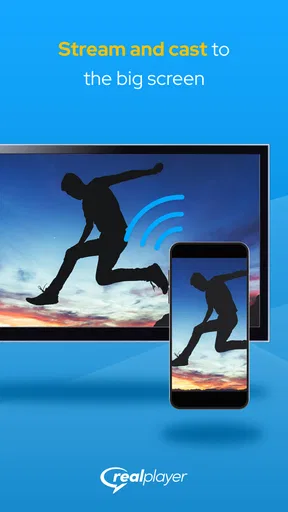
RealPlayer is a versatile media player that not only plays a wide array of audio and video formats but also offers features like video downloading, converting, and even cloud storage. It’s available for both Android and iOS, making it a handy tool whether you’re on a smartphone or a tablet.
User Interface and Experience
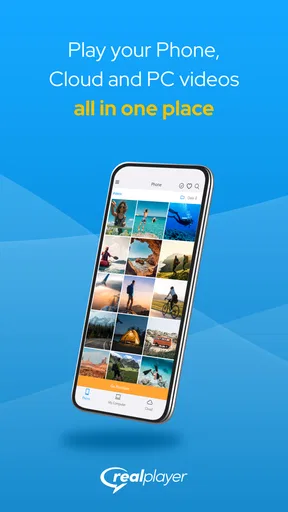
First impressions? The UI is clean and intuitive, which makes navigating through the app a breeze. Everything is laid out in a way that makes sense, so I didn’t find myself lost or confused at any point. The design is straightforward, focusing on functionality rather than flashy aesthetics, which I really appreciate.
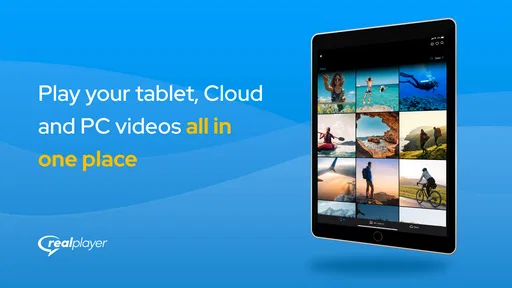
When you open the app, you're greeted with a dashboard that neatly categorizes your media. Whether it’s music, videos, or photos, everything is just a tap away. Playing media is seamless, and I didn’t experience any lags or crashes. It’s like having a mini media center right in your pocket.
Features that Stand Out
One of the coolest features of RealPlayer is its ability to download videos directly from the web. Yep, you heard that right. You can browse through your favorite sites and snag those intriguing videos for offline viewing later. It’s perfect for those long commutes or flights where Wi-Fi is a distant dream.
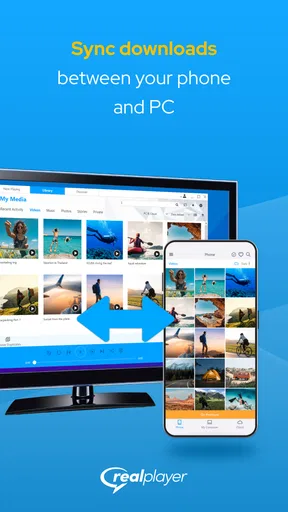
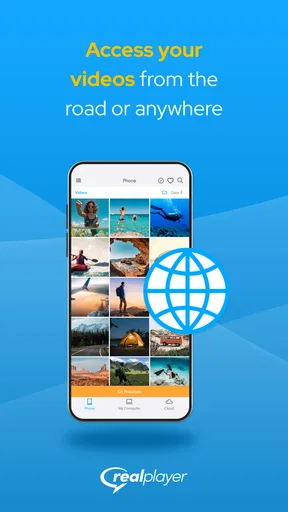
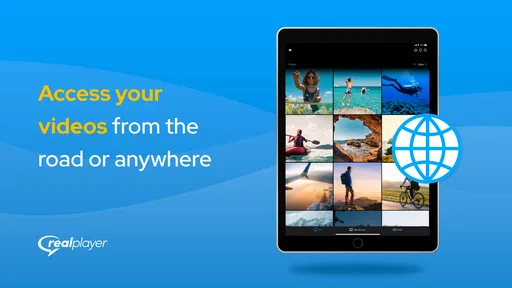
Another handy feature is the built-in video converter. You can convert your videos into different formats, which is super useful if you're trying to save space or need a specific format for a project. And let's not forget the cloud storage option. With RealPlayer Cloud, you can store your media and access it from any device, anytime. It’s like having a personal media vault!
Performance and Compatibility
Performance-wise, RealPlayer does not disappoint. I tested it with various formats, from MP4s to MKVs and MP3s, and it played them all without a hitch. The quality of playback is impressive, with crisp audio and clear video, making it a joy to watch movies or listen to music.
Worth Reading Before You Choose

EA SPORTS FC Mobile 26 Is a Bigger Football Game, but It Takes Time

Flipboard Shows What News Apps Must Do Beyond the Feed

Switching to Android Auto Means Rethinking Your Driving Routine

Google Calendar Makes a Crowded Week Easier to Manage

Ludo King Makes the Most of the Minutes Between Plans

Baby Panda World Brings Quick Play to Modern Phones, but Its Game Library Feels Busy
Compatibility is another strong point. It supports a wide range of formats, which means you can ditch those other apps that only support one or two types. It’s like having a Swiss Army knife for media – one app to rule them all.
Security and Privacy
In this day and age, security and privacy are paramount. RealPlayer doesn’t skimp on this. It provides options to password-protect your media, ensuring that your private photos and videos stay just that – private. Plus, the app regularly updates to patch any vulnerabilities, which is always reassuring.
Final Thoughts
So, is RealPlayer worth your time? Absolutely. It combines a powerful media player with additional features like video downloading, converting, and cloud storage, all wrapped up in an easy-to-use package. Whether you're tech-savvy or just looking for a reliable media player, RealPlayer ticks all the boxes. It’s like a multimedia Swiss Army knife, ready to tackle whatever you throw at it.
Ready to give it a whirl? You can download it from the App Store or Google Play. Trust me, once you start using RealPlayer, you'll wonder how you ever managed without it.
Pros
- User-friendly interface for easy navigation.
- Supports a wide range of media formats.
- Offline playback for downloaded content.
- Cloud storage integration for easy access.
- Customizable playlists and media organization.
Cons
- Contains ads in the free version.
- Limited features without premium subscription.
- Occasional playback issues on older devices.
- Requires internet for full functionality.
- Privacy concerns with data collection policies.
FAQs for RealPlayer
What platforms is RealPlayer available on?
RealPlayer is available for both Android and iOS devices. It is designed to deliver a seamless media experience across various mobile platforms, ensuring users can enjoy their multimedia content on the go. You can download the app from the Google Play Store or the Apple App Store, depending on your device.
Does RealPlayer support all video formats?
RealPlayer supports a wide range of video formats, including MP4, AVI, WMV, and more. This versatility allows users to play almost any video file without needing to convert to a different format. However, it's always a good idea to check the latest supported formats on their official website or app description for any updates.
Can I use RealPlayer to download videos from the internet?
Yes, RealPlayer offers a video downloading feature that allows users to save videos from popular websites to their devices. This feature is particularly handy for offline viewing. However, always ensure that you comply with copyright laws and the terms of service of the websites from which you are downloading.
Is there a premium version of RealPlayer, and what are its benefits?
RealPlayer does offer a premium version that provides additional features such as higher-quality video playback, expanded storage options, and advanced editing tools. Subscribing to the premium version can enhance your media experience, especially if you regularly use the app for video streaming and editing.
How do I manage my media library within RealPlayer?
RealPlayer provides an intuitive interface to organize and manage your media library. You can easily create playlists, sort files by type or date, and use the search function to find specific content quickly. The app also offers cloud storage options for backing up and accessing your media across different devices.


